Every work order has Walt on hand to help you think it through: what's likely wrong, what to buy, how to do the job, or who to call.
Start a chat
Open a work order and tap the chat bubble button to talk it through with Walt. Type your question, or attach photos first. Walt looks at the photos before anything else, so a picture of the leak, the error code or the nameplate is the fastest way to a useful answer.
Walt already knows the work order you're on and what the house knows about it, such as the thing it's for and its maintenance history, so you don't need to explain it all again.
Suggestions you approve
Walt can suggest changes to the work order: a clearer title, the right urgency, sub-tasks for the steps it described, or a new work order for something else it spotted. Each suggestion appears as a card. Nothing changes until you tap to apply it.
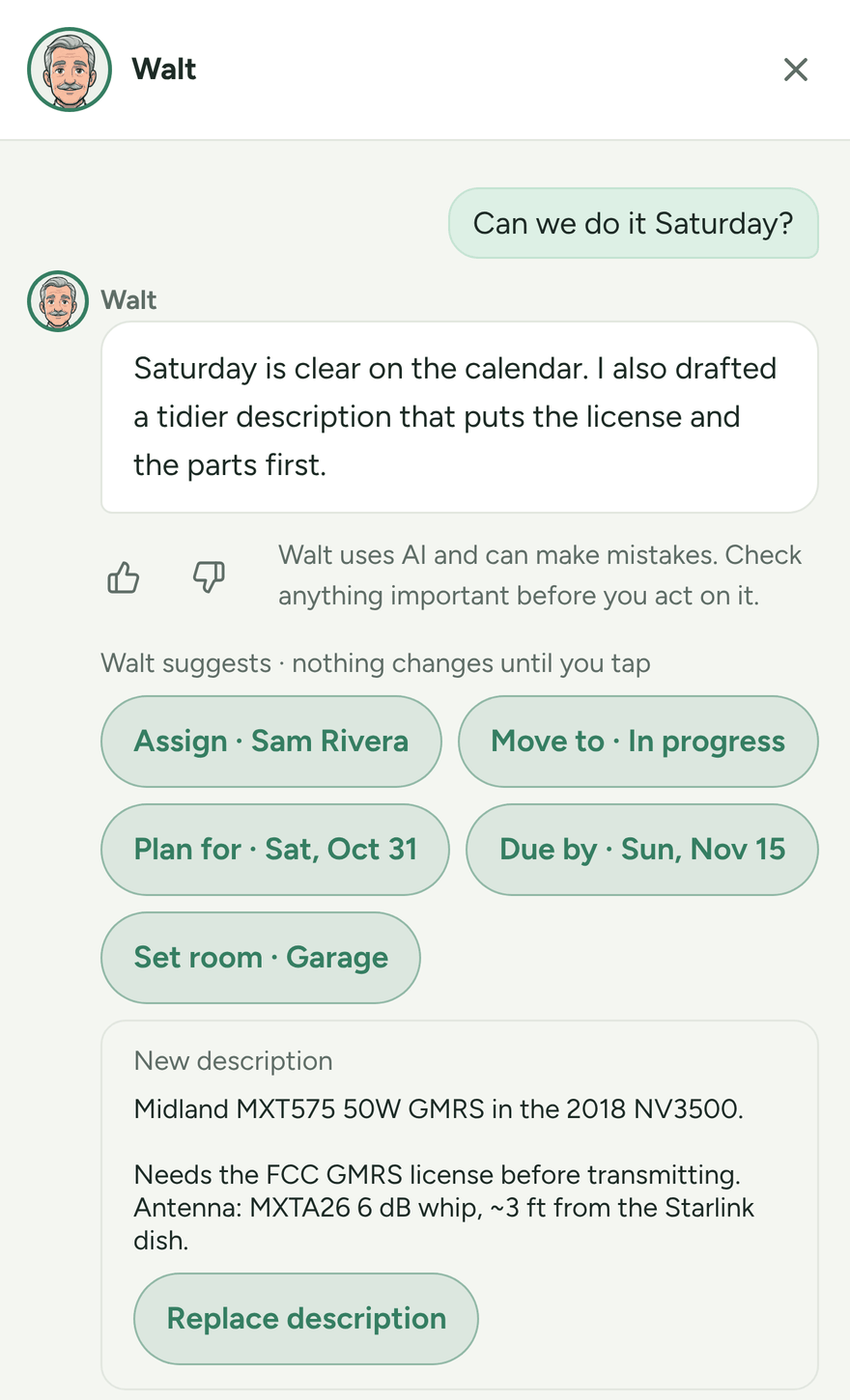
Walt never changes anything without your tap, and it can't suggest closing or deleting a work order or touching money.
Check before you act
Walt uses AI and can make mistakes. Check anything important before you act on it, especially anything to do with electricity, gas, water or a car's brakes. For anything risky, call a professional.
Tell us how it did
Under each of Walt's replies there's a thumb up and a thumb down. A thumb down asks for one optional line about what went wrong. The Walt team reads these to make Walt better.
Who can use it
Walt is for the grown-ups in the family. Organizers, and adults who can update work orders, can chat on them. Kids and teens don't get Walt at all, at any age: no chat, no Ask Walt, and no connected apps. What a kid files still reaches a grown-up's Walt as part of the work order. If you're an adult and don't see Walt on a work order, ask an organizer about your role (see Invite your family).